How do I edit property photos online?
Upload your interior or exterior shot to PhotoEdit Studio, crop and straighten it, then adjust brightness, contrast and colour. Download the finished image — all free and in the browser, with nothing to install.

Property photo editor
For the photograph itself: level a room, open a dark corner and hold detail in the window. Free manual tools, plus PhotoClear decluttering and sky tools in the same editor when you need them.
Free account · No card · Manual editing is free
Quick answer
A property photo editor is a tool for improving property images such as interiors and exteriors. PhotoEdit Studio lets you crop, straighten, brighten and adjust listing photos directly in your browser for free, helping rooms look bright and level and exteriors look sharp — ideal for quick marketing-ready edits.
Upload your interior or exterior shot to PhotoEdit Studio, crop and straighten it, then adjust brightness, contrast and colour. Download the finished image — all free and in the browser, with nothing to install.
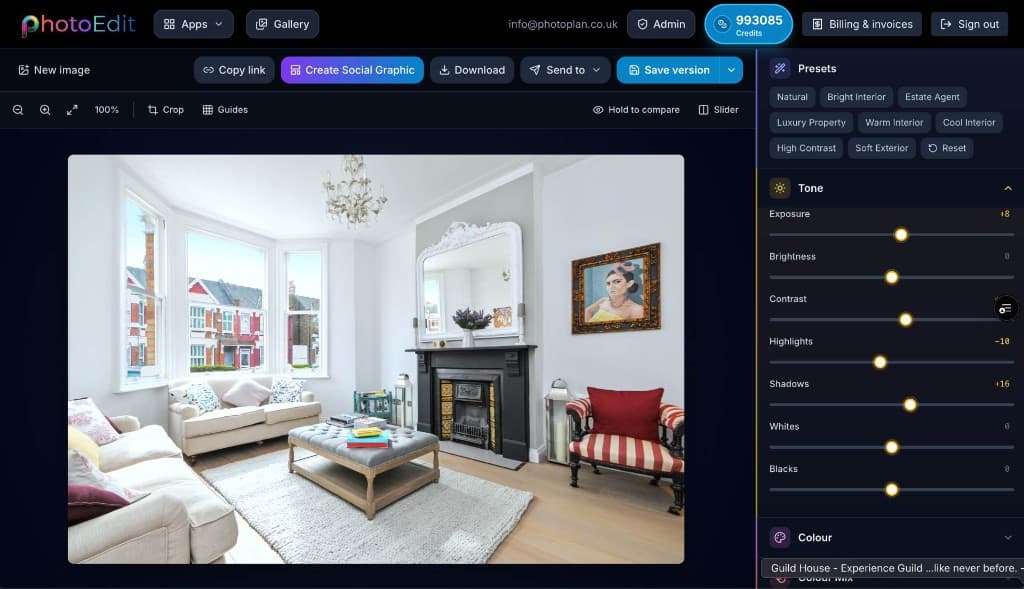
Yes. Use the exposure, brightness and shadows controls to lift dark interiors and open up shaded corners, while highlights tame bright windows so detail is not lost.
Yes. One-tap straightening levels horizons and corrects leaning verticals, so rooms and exteriors look properly composed.
A property photo editor is a tool for improving the photographs used to market homes and buildings — interiors, exteriors, rooms and details. Good property photos need a particular set of adjustments: rooms straightened, brightness lifted, bright windows controlled and dark corners opened up.
PhotoEdit Studio focuses on exactly these needs. Rather than the sprawling toolset of professional software, it gives you the property-specific controls that make the biggest difference, in a simple browser-based interface anyone can use.
The result is faster, cleaner editing for everyday property marketing. A wonky, dull listing photo becomes a level, bright, well-composed image that helps create a cleaner first impression — without leaving your browser.
Step-by-step
From a free PhotoEdit account to a downloaded, marketing-ready image.
Sign in or register with email or Google. No card is required. The same ReHub login works across PhotoEdit and the other ReHub apps.
Drag and drop, browse or paste an image straight into the editor. JPG, PNG and WEBP are all supported — nothing to install.
Level the horizon, reframe the shot and fine-tune exposure, contrast, brightness and colour with simple sliders designed for non-designers.
Export a cleaner, well-composed photo for your portal, brochure or social post. Optional PhotoClear tools in the same editor may use credits.
Why property teams use it
Straighten horizons and verticals so interiors look composed and professional.
Lift exposure and open shadows to turn dull rooms into bright, welcoming spaces.
Recover blown-out highlights so bright windows keep their detail.
Reframe and crop to the ratios portals and brochures expect.
Example use cases
Real ways property professionals put this to work every day.
Brighten and level living rooms, kitchens and bedrooms.
Sharpen kerb appeal with straightened, brighter shots.
Crop and clean up feature photos for listings.
Resize and export images for every property feed.
A clean property edit usually follows the same quick sequence.
Use this page when the job is the photograph itself: a dark kitchen, a leaning elevation, a window that has blown out. Crop and straighten, then lift shadows and pull highlights on the free Edit tab.
If the room is untidy, open the PhotoClear tab in the same editor and declutter there — light is 1 credit, medium is 2, full is 3. A flat exterior sky is Blue Sky or Sunset Sky, at 1 credit each. You do not leave PhotoEdit for those. Empty rooms that need furniture still go to Virtual Staging Studio.
FAQs
5 answers to the questions property professionals ask most.
Create a free account, upload a photo and crop, straighten and brighten it into a cleaner, marketing-ready image. Manual editing is free — no card and no download.
Free account · No card · Manual editing is free