Is background removal free in PhotoEdit Studio?
Yes. Background removal is free and runs client-side in your browser. There is no credit charge for the cutout — you upload a photo, remove the background and download a transparent PNG.

Background removal
Cut out the subject and download a transparent PNG in your browser. PhotoEdit Studio’s background removal is free, runs entirely on your device and works for property photos, logos and social graphics.
Free to use · No download · No design skills needed
Quick answer
PhotoEdit Studio includes a free background remover that runs in your browser. Upload a photo, click Remove background, and download a transparent PNG cutout — no credits, no install and no Photoshop. Ideal for logos, product-style cutouts, social graphics and clean property marketing assets.
Yes. Background removal is free and runs client-side in your browser. There is no credit charge for the cutout — you upload a photo, remove the background and download a transparent PNG.
Yes. The cutout is a PNG with an alpha channel, so the subject sits on a transparent background ready for social graphics, brochures, logos or composite layouts.
No. One click removes the background. You do not need layers, masks or pen tools — PhotoEdit Studio handles the cutout automatically.
Yes. Use background removal in the main editor, or on image layers inside Create Social Graphic, to cut out logos, agents and property details for clean marketing creatives.
Online background removal cuts the subject out of a photo and leaves a transparent background, so you can place the image on any colour, layout or social template. Traditionally this meant careful masking in Photoshop; PhotoEdit Studio does it with one click in the browser.
Because the cutout runs on your device, everyday background removal stays free — no server round-trip and no credits. The result is a transparent PNG you can keep editing, download, or drop into a social graphic.
For property teams, that means cleaner logos, agent headshots, furniture or feature cutouts, and marketing assets that look professional without opening desktop software.
Step-by-step
From a property photo to a cleaner, marketing-ready image — in three simple steps.
Open PhotoEdit Studio and drop in a property photo, logo or graphic. JPG, PNG and WEBP all work.
Click Remove background under Presets. The first cutout may take a few seconds while the model loads; after that it is quicker.
Export the cutout as a PNG to keep transparency, or keep editing tone, crop and colour before you save.
Why teams use it
Background removal is included with the free editor. Cutouts run in your browser with nothing to unlock.
Keep the alpha channel so the subject composites cleanly onto any design, portal graphic or social template.
Cut out logos, agents and listing details, then finish with crop, straighten and colour in the same editor.
Remove backgrounds on image layers inside Create Social Graphic for polished posts without leaving PhotoEdit.
Example use cases
Real ways property professionals put this to work every day.
Strip white or busy backgrounds from agency logos for clean overlays.
Isolate people or objects for social posts and feature callouts.
Drop transparent cutouts onto Just Listed templates and market updates.
Export PNGs ready for composite marketing and print designs.
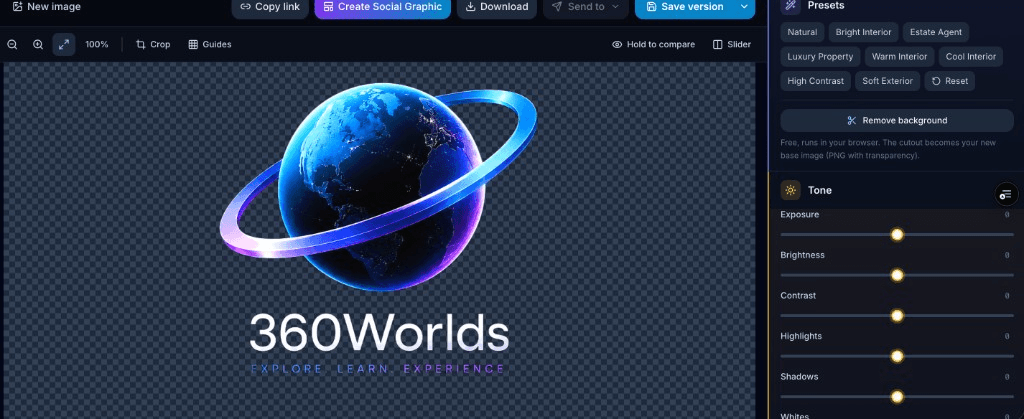
Open the free PhotoEdit Studio editor, upload your image and use Remove background under Presets. The cutout becomes your new base image with a checkerboard preview so you can see transparency clearly.
Background removal isolates a subject on transparency. If you need to tidy a room while keeping the space — removing clutter, cables or personal items — send the image to PhotoClear in the ReHub ecosystem. That is a different job, and those AI tools may use credits.
Compare
| Factor | PhotoEdit Studio | Photoshop / desktop |
|---|---|---|
| Price | Free | Paid licence or subscription |
| Install | None — browser only | Desktop app required |
| Skill needed | One click | Masks, pen tool, layers |
| Output | Transparent PNG | PSD / PNG / layered file |
| Best for | Fast property marketing cutouts | Complex retouching |
| Credits | None for background removal | N/A |
FAQs
5 answers to the questions property professionals ask most.
Explore further
Upload a photo, click Remove background and download a transparent PNG — free, no install and no design skills required.
Free to use · No download · No design skills needed