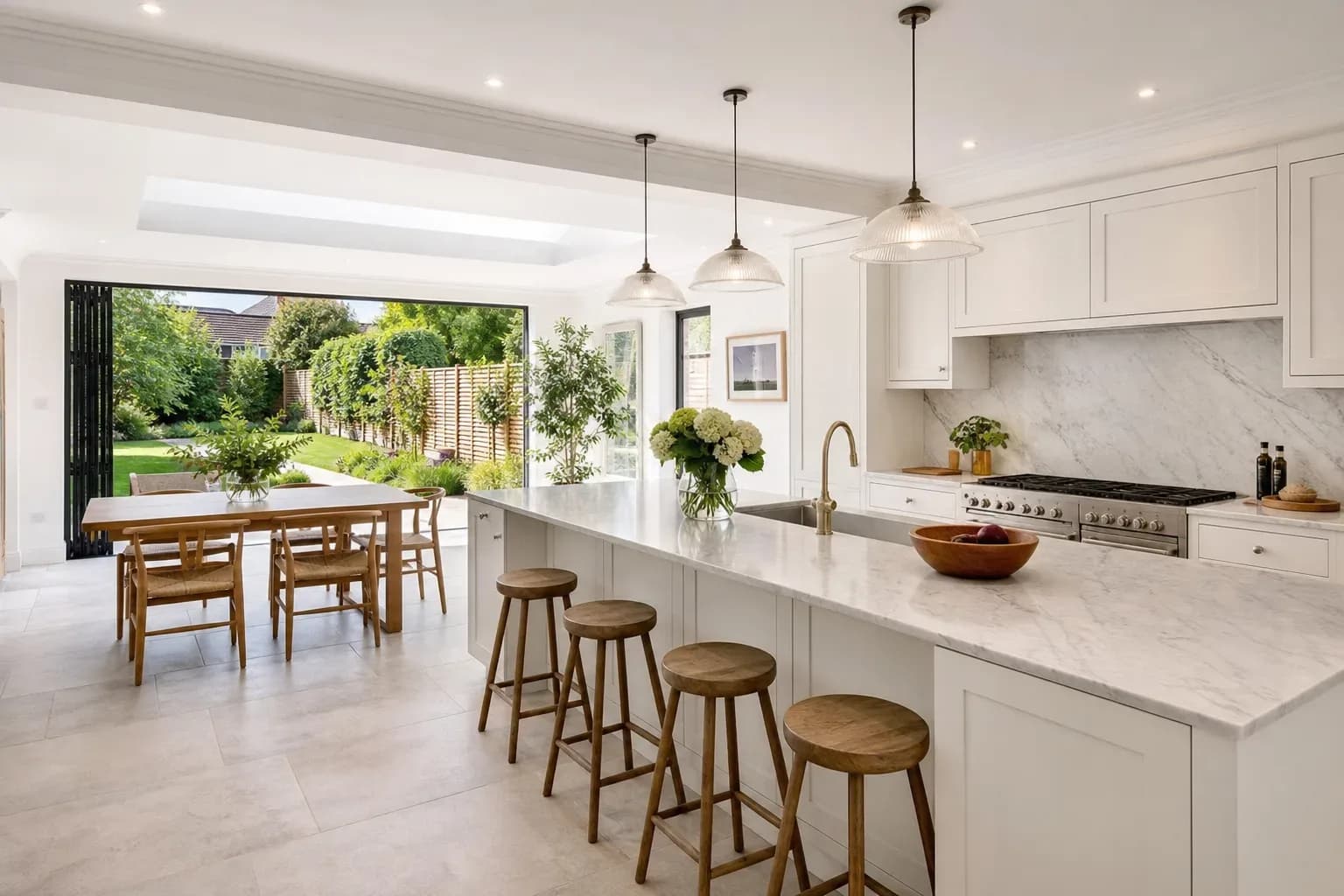
Is HDR Photo inside PhotoEdit?
No. Crop, tone and PhotoClear tools stay in PhotoEdit. Bracket merging opens in HDR Photo, which uses the same ReHub login.

Separate ReHub app
A single exposure often cannot hold a bright window and a naturally lit room. HDR Photo is a separate app that groups a bracket, merges it and returns a high-resolution JPEG. Every account includes 10 HDR Credits a month. A finished edit uses 1 HDR Credit and does not spend ReHub Credits.
Separate app · Same ReHub login · 10 HDR Credits a month · Does not use ReHub Credits


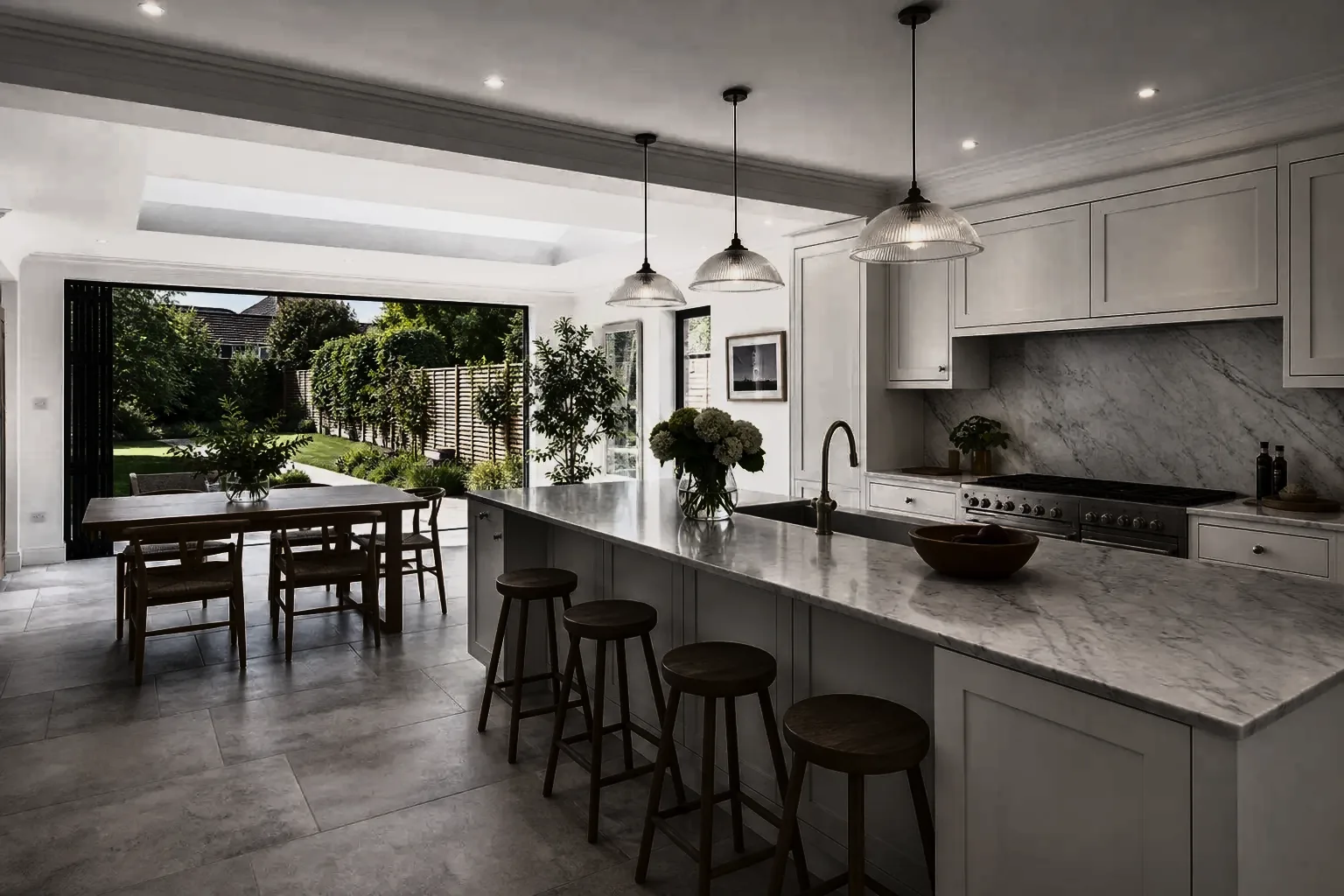
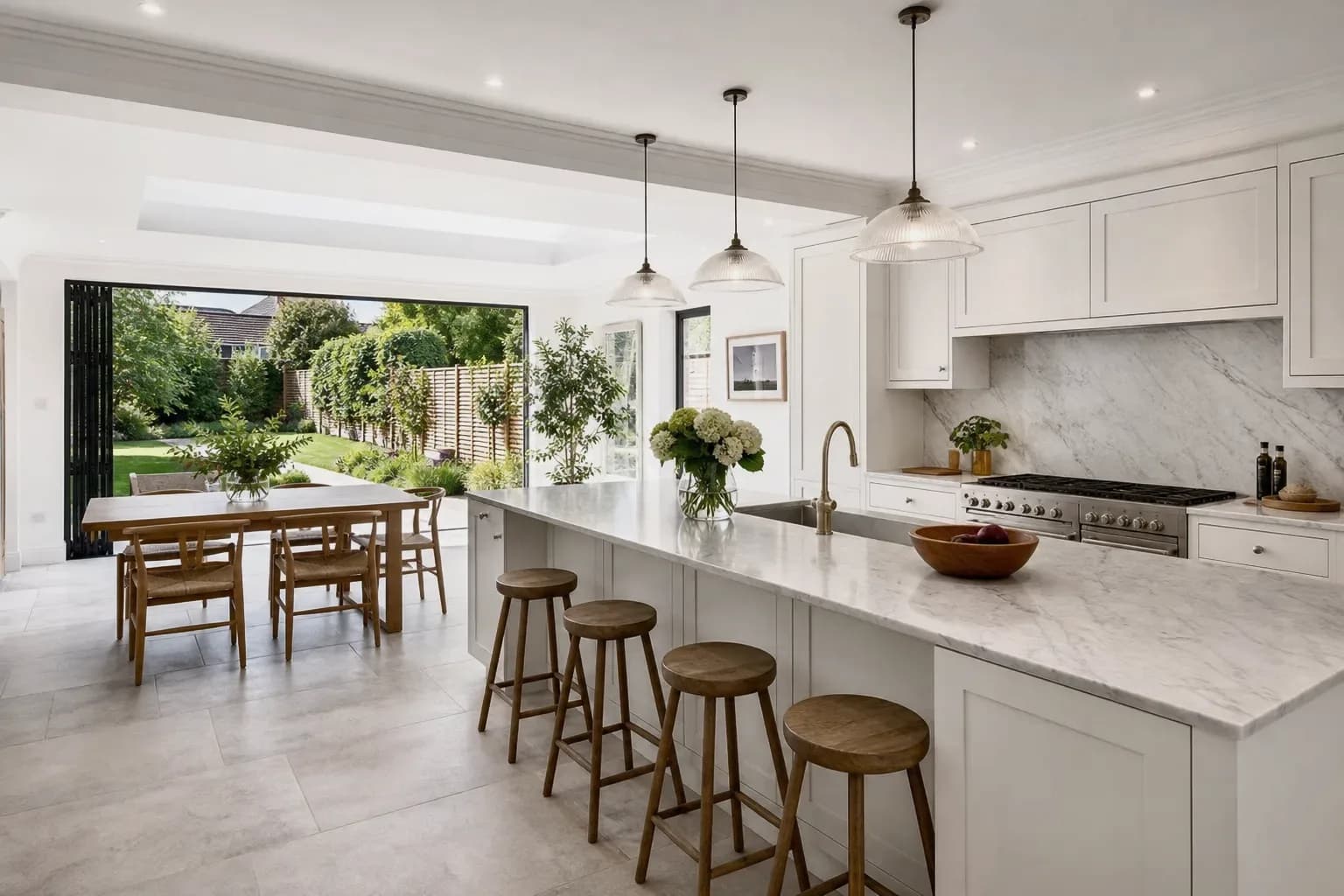
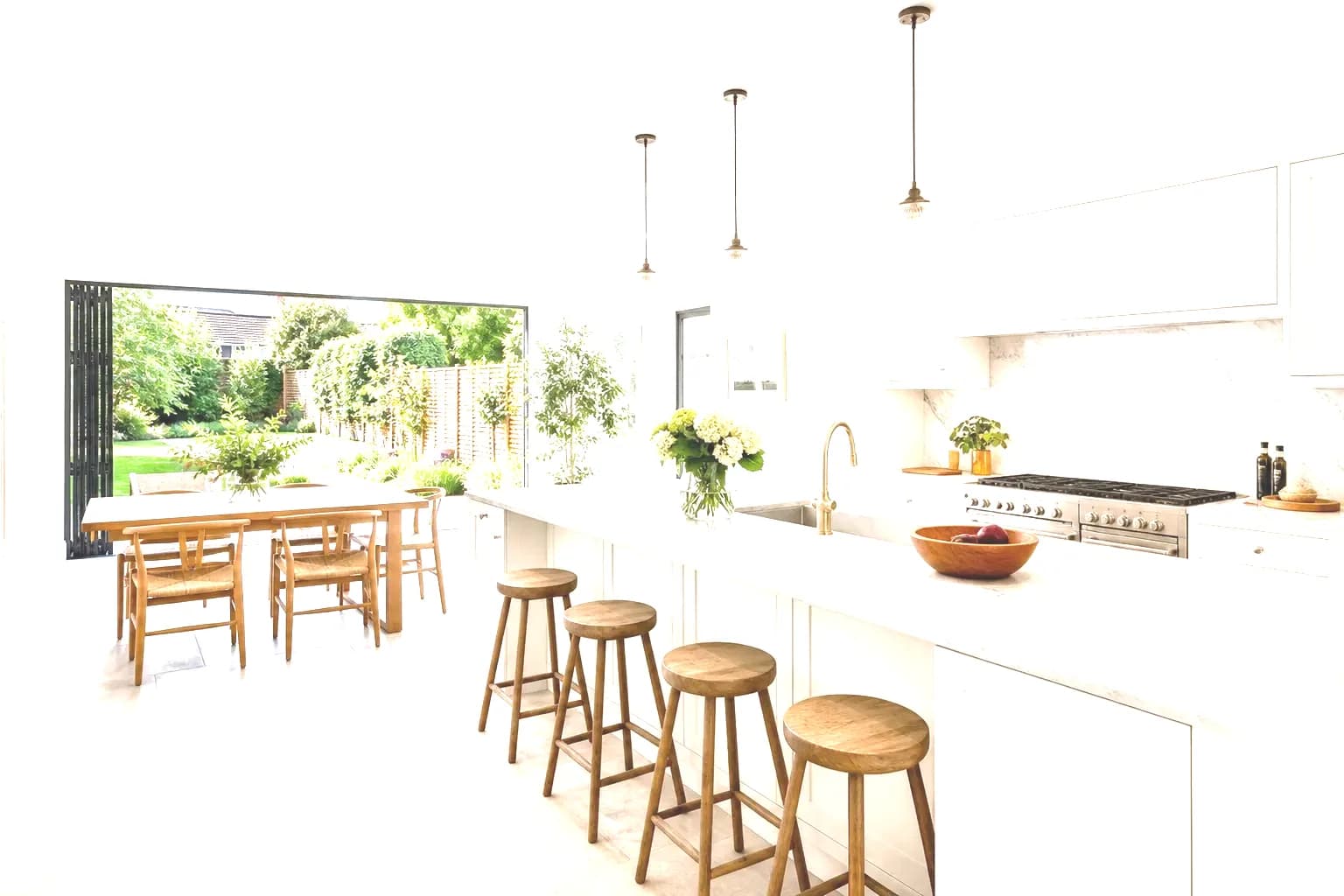
Three bracketed exposures
Quick answer
HDR Photo blends bracketed property photographs into one balanced image with natural colour and clearer window detail. Upload a shoot, and frames taken within about two seconds are grouped as one stack. Each finished edit uses 1 HDR Credit. Every account includes 10 HDR Credits a month, with no card required. HDR Credits are separate from ReHub Credits, and the tool is not inside the PhotoEdit editor.
No. Crop, tone and PhotoClear tools stay in PhotoEdit. Bracket merging opens in HDR Photo, which uses the same ReHub login.
No. A finished edit uses 1 HDR Credit. ReHub Credits stay available for PhotoClear, staging, HyperDusk and ImageMotion.
Every account includes 10 HDR Credits each month, enough for 10 finished edits. Unused monthly credits do not build up, and a failed job is not charged.
If the camera exposes for the sofa, the garden through the glass often records as white. If it exposes for the garden, the room goes dark. A short bracket — usually three frames — captures both, and HDR Photo is built to merge those frames into one listing photograph.
That job is different from lifting shadows in PhotoEdit. The free editor works on the single file you already have. HDR Photo needs the darker and brighter exposures, because it can only recover detail that was actually captured.
Step-by-step
HDR Photo runs as its own app. Sign in with your ReHub account, upload the folder, and download the merged JPEGs.
Drag in JPEGs, PNGs or TIFFs. RAW files (CR2, NEF, ARW, DNG) are accepted. JPEG is the practical choice for a full property. Images from the same folder become one listing.
Capture time is read from EXIF. Frames shot within about two seconds become one HDR stack. Do not interleave two rooms in the same burst. A lone photograph is still enhanced, with less window detail than a full bracket.
Compare each finished image with the first source file. Download a high-resolution JPEG, or the set as a ZIP. Each completed image uses 1 HDR Credit.
What the merge is for
The aim is a believable listing photograph: window detail from the darker frames, and colour that stays natural.
Highlight information is taken from the darker frames so a bright view does not have to blow out. The merge cannot invent a view that was never exposed.
Mixed daylight and interior light is corrected toward neutral walls and believable wood tones, rather than a heavy, oversaturated HDR treatment.
Frames are aligned before they are merged, which helps slight handheld movement, curtains and foliage. A large sidestep or a zoom change between shots cannot be repaired.
Converging verticals are corrected as a separate step from aligning the bracket, so walls sit more naturally in the listing set.
Upload the folder and let the stacks process in the queue, one image after another. Then download the finished set.
Finished images download as high-resolution JPEGs, one at a time or as a ZIP of the listing.
Example use cases
Real ways property professionals put this to work every day.
A mid exposure holds the garden and leaves the interior in shadow. The merge is meant to keep both.
Warm fittings and cool window light in one frame. White balance after the merge aims at neutral walls.
Keep one property in one folder. Three frames at about −2 / 0 / +2 EV is the usual interior starting point.
A single photograph can still be enhanced. It will not recover window detail that was never captured.
Three frames are the usual starting point for interiors, often at about −2, 0 and +2 EV. Five frames help when the garden is in hard sun and the room is deep. Two-frame stacks are grouped as well.
Keep the camera still. Alignment copes with minor handheld movement. A tripod is still the reliable method when the window is the hard part of the shot. Leaves, curtains and people can mismatch between exposures; the merge prefers one frame in that area.
PhotoEdit’s free tools do not use credits. PhotoClear decluttering and sky tools inside PhotoEdit use ReHub Credits. HDR Photo does not draw on that balance. Each finished HDR edit uses 1 HDR Credit from the monthly allowance.
Paid plans add a larger monthly allowance. Prices are on the HDR Photo pricing page, because they can change without a change to this site. Five thousand credits and above is arranged by email at hello@rehub.studio rather than self-serve checkout.
Compare
| Factor | PhotoEdit | HDR Photo |
|---|---|---|
| What you start with | One photograph | A bracket, or a single frame |
| Where it runs | photoedit.rehub.studio | hdrphoto.rehub.studio |
| Everyday light edits | Free with an account | Not the job of this app |
| Merging exposures | Not available | Stacks grouped from EXIF |
| What a result costs | ReHub credits only for PhotoClear tools | 1 HDR Credit per finished image |
| Free allowance | Manual editing stays free | 10 HDR Credits every month |
FAQs
5 answers to the questions property professionals ask most.
Explore further
Create an account or sign in with ReHub. The first 10 finished edits each month are included. Larger monthly allowances are on the HDR Photo pricing page.
Separate app · Same ReHub login · 10 HDR Credits a month · Does not use ReHub Credits