Where is PhotoClear now?
In PhotoEdit. Upload the photo, then choose the PhotoClear tab. Declutter, sky, exterior tidy, blur and the other listed tools are on that tab.

Inside PhotoEdit
PhotoClear is no longer a separate stop. Open a listing photo in PhotoEdit, switch to the PhotoClear tab, and tidy, recover a sky or blur a private detail there. Those AI actions use ReHub credits. Crop, tone and colour on the Edit tab stay free.
Free account · Open a photo, then the PhotoClear tab · AI tools use credits

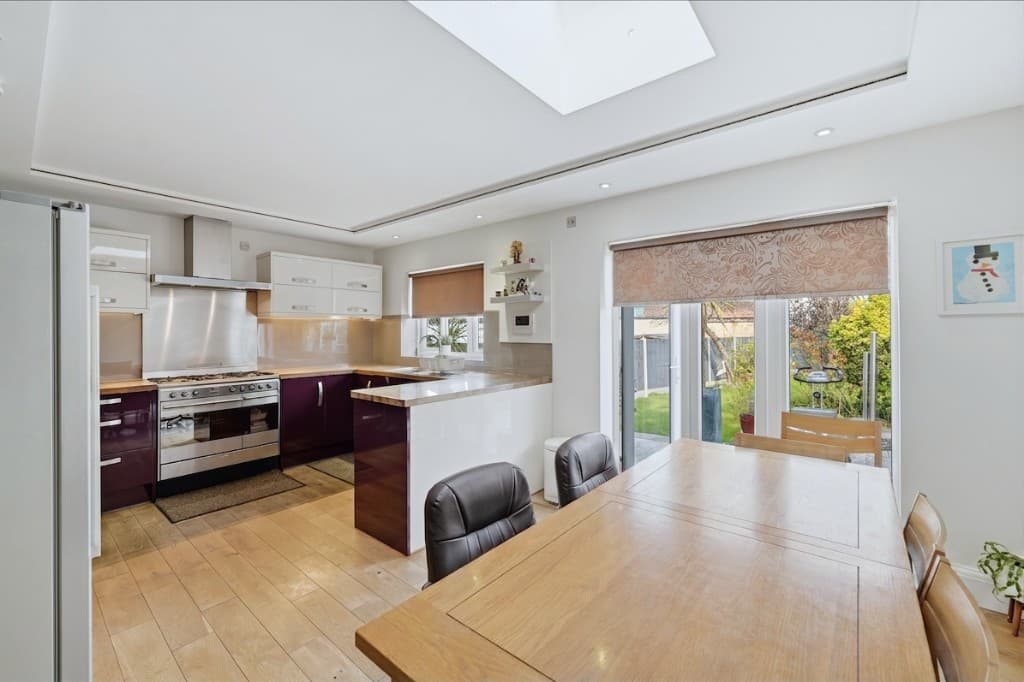 Edited
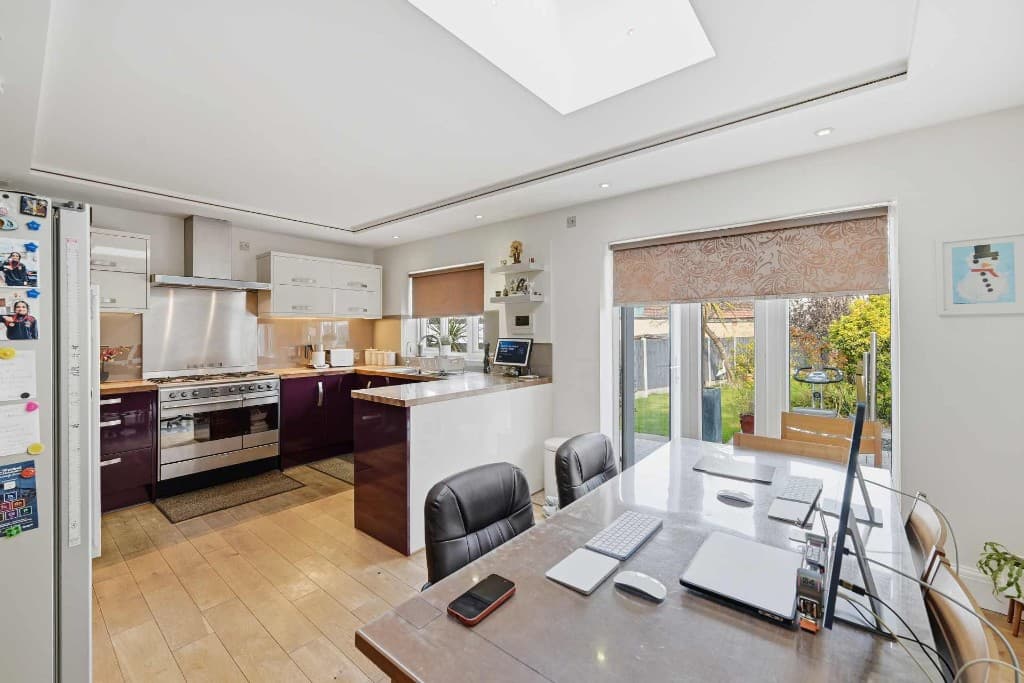 Original
Quick answer
PhotoClear runs inside PhotoEdit Studio. After you upload a photo, the PhotoClear tab sits beside Edit. Light declutter uses 1 ReHub credit, medium uses 2 and full uses 3. The other PhotoClear actions — including blue sky, sunset sky, window sky, bins, cars, garden, blur and a custom tidy — use 1 credit each. Straighten Image on that tab is free. The result should still be a fair photograph of the property.
In PhotoEdit. Upload the photo, then choose the PhotoClear tab. Declutter, sky, exterior tidy, blur and the other listed tools are on that tab.
Declutter uses 1, 2 or 3 credits by strength. Each other PhotoClear action uses 1 credit. The editor shows the cost before you run it. Manual crop, tone and colour do not.
No. A custom request that asks to add furniture is blocked. Furnishing an empty room is Virtual Staging Studio, which is a separate app.
Most listing work is still a free edit: crop, straighten, exposure, colour and export. PhotoClear is the optional step when the photo needs something the sliders cannot do, such as clearing movable mess, replacing a flat exterior sky, or blurring a face in a frame.
You stay on the same image. Finish the free adjustments first if you want, then open the PhotoClear tab. Each AI action is separate, so a declutter and a sky replacement are two charges, not one.
Step-by-step
PhotoClear opens from the editor. There is no second website to visit for these tools.
Create a free PhotoEdit account and upload the image. Crop and colour on the Edit tab do not use credits.
It sits beside Edit. Declutter is the first control, with Light, Medium and Full. The rest of the tools are listed underneath.
The button shows the credit cost before it runs. Straighten Image on this tab is marked Free. Everything else in the list uses ReHub credits.
Compare with the original. If the room, the sky or the drive no longer matches the property, undo it. Download only a fair photograph.
On the PhotoClear tab
Costs below are the ones shown in the editor. Declutter is the only action with three strengths.
Light clears obvious mess and keeps the room lived-in. Medium also clears personal items. Full is a much stronger, minimal tidy. Review it before you publish.
Blue Sky styles are Soft, Clear, Deep, Cloudy and Bright. Sunset styles are Golden, Orange, Pink, Fire, Pastel and Twilight. Window Sky only recovers blown-out glass.
Tidy garden, cut the grass, tidy drive and bins, remove bins only, or remove cars only. Garden tidy is meant to leave plants and the lawn as they are.
Straighten a bed or a sofa without moving the furniture. Brighten and enhance, turn lights on, or soften harsh shadows. These change the photograph, so check them.
Blur personal photos in frames, collages and screens, or blur number plates on vehicles. The rest of the picture is meant to stay put.
Add flowers or a plant for 1 credit. A written custom edit is also 1 credit, and it will not add furniture. Staging an empty room is a different app.
Example use cases
Real ways property professionals put this to work every day.
Use Light when only the mess should go. There is a longer guide to choosing a strength honestly.
Blue Sky or Sunset Sky replaces the sky behind the building. The house itself should stay recognisable.
Remove bins only, or cars only, when you do not want the rest of the front cleared as well.
Blur a family photo on the wall or a number plate, then leave the room otherwise as shot.
PhotoClear changes pixels. That is useful for temporary mess, a blown-out window or a number plate. It is a problem if the edit hides damp, damage, a missing fixture or a view the property does not have.
Prefer the lightest action that solves the photo. A sunset sky is a styled image: do not present it as the weather on the day of the viewing unless that is true. Adding flowers or a plant is a small staging choice, and it should not be used to imply a different room.
Merging a bracket of exposures is HDR Photo, a separate app with its own monthly HDR Credits. A full day-to-dusk grade is HyperDusk. Furnishing an empty room is Virtual Staging Studio. Cinematic video is ImageMotion. Those are not buttons on the PhotoClear tab.
Decluttering and sky replacement each have their own page if you want the detail. This page is the map of the tab.
Compare
| Factor | Edit tab | PhotoClear tab |
|---|---|---|
| Where | Inside PhotoEdit | Inside PhotoEdit |
| Crop, tone, colour | Free | Not these tools |
| Straighten verticals | Free | Straighten Image is also free |
| Declutter | Not available | 1, 2 or 3 credits |
| Sky, bins, blur, lights | Not available | 1 credit each |
| Add a sofa | Not available | Blocked — use Virtual Staging |
FAQs
5 answers to the questions property professionals ask most.
Explore further
Create a free account and upload the photo. Manual edits are free. The PhotoClear tab shows the credit cost before each AI action.
Free account · Open a photo, then the PhotoClear tab · AI tools use credits